Agentforce: The AI Revolution in Salesforce
Explore Agentforce, Salesforce's new autonomous AI agents platform. Learn to create, configure, and deploy intelligent agents to automate business processes.
Introduction: What is Agentforce?
Agentforce is a complete, extensible, and open platform developed by Salesforce to create and deploy autonomous AI agents at scale. It allows companies to be equipped with a “digital workforce” that supports employees and customers, leveraging existing applications, data, and business logic. These agents not only provide conversational assistance but can also take action on behalf of the company across all departments and systems, ensuring security with the Einstein Trust Layer.
1. Key Attributes of an Agent
An agent in Agentforce is defined by five fundamental attributes:
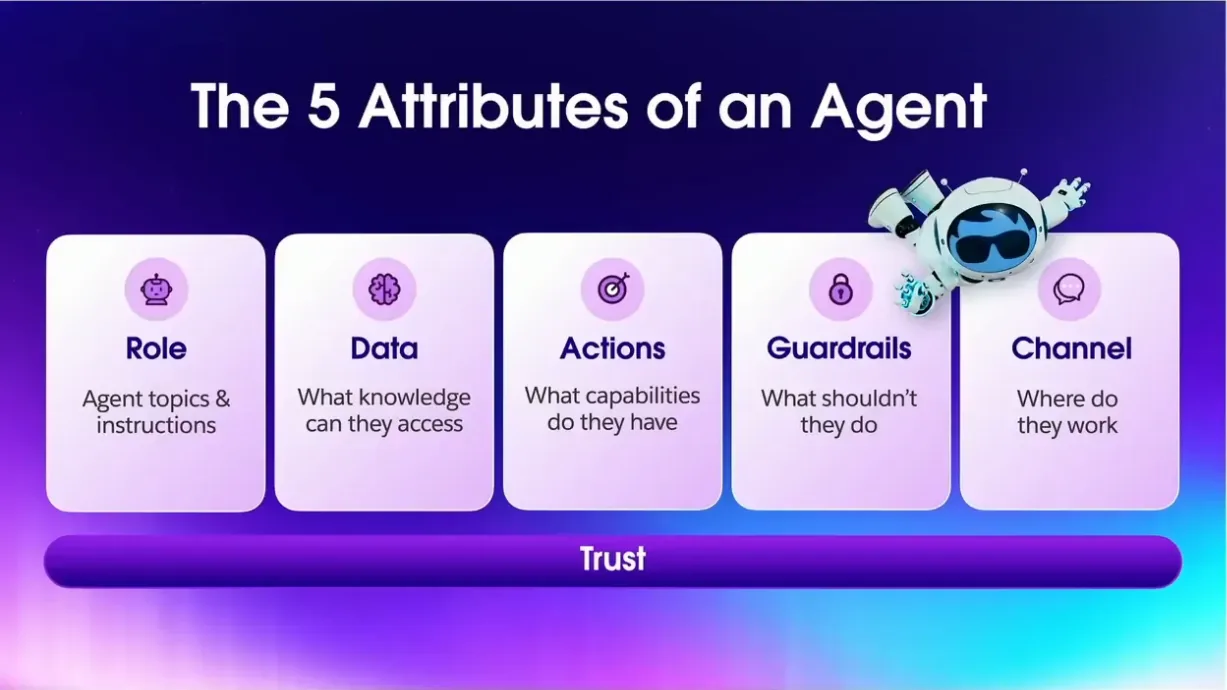
- Role: Its function or virtual job description (e.g., customer service assistant).
- Data: The knowledge it can access (CRM, Data Cloud, documents).
- Actions: The capabilities or operations it can perform (query records, run flows, etc.).
- Guardrails: What the agent should not do, including security restrictions and policies to prevent inappropriate behavior.
- Channel: Where the agent will operate (web, Slack, Microsoft Teams, etc.).
2. Fundamental Components
Agents are built from three basic blocks:
Topics
They represent the high-level intentions or tasks that the agent can resolve (e.g., “Password Reset,” “Order Status”). When a user asks a question, the Atlas Reasoning Engine classifies it into the most relevant topic. It is crucial to define clear and distinct topics.
Instructions
They are the “roadmap” for each topic, explaining to the agent how to orchestrate actions to accomplish the task. The AI Assist feature can generate draft instructions from natural language.
Actions
These are the concrete steps the agent executes. They can be of various types:
- Invoke a Salesforce Flow
- Call an Apex class
- Perform a knowledge search
- Query CRM record data
- Invoke a generative prompt
Each topic has a list of associated actions. The Atlas engine dynamically decides which actions to execute and in what sequence based on the user’s intent. For example, for a complex query, the agent might chain a contact search, a call to an external API, and the generation of a formatted response.
3. The Atlas Reasoning Engine
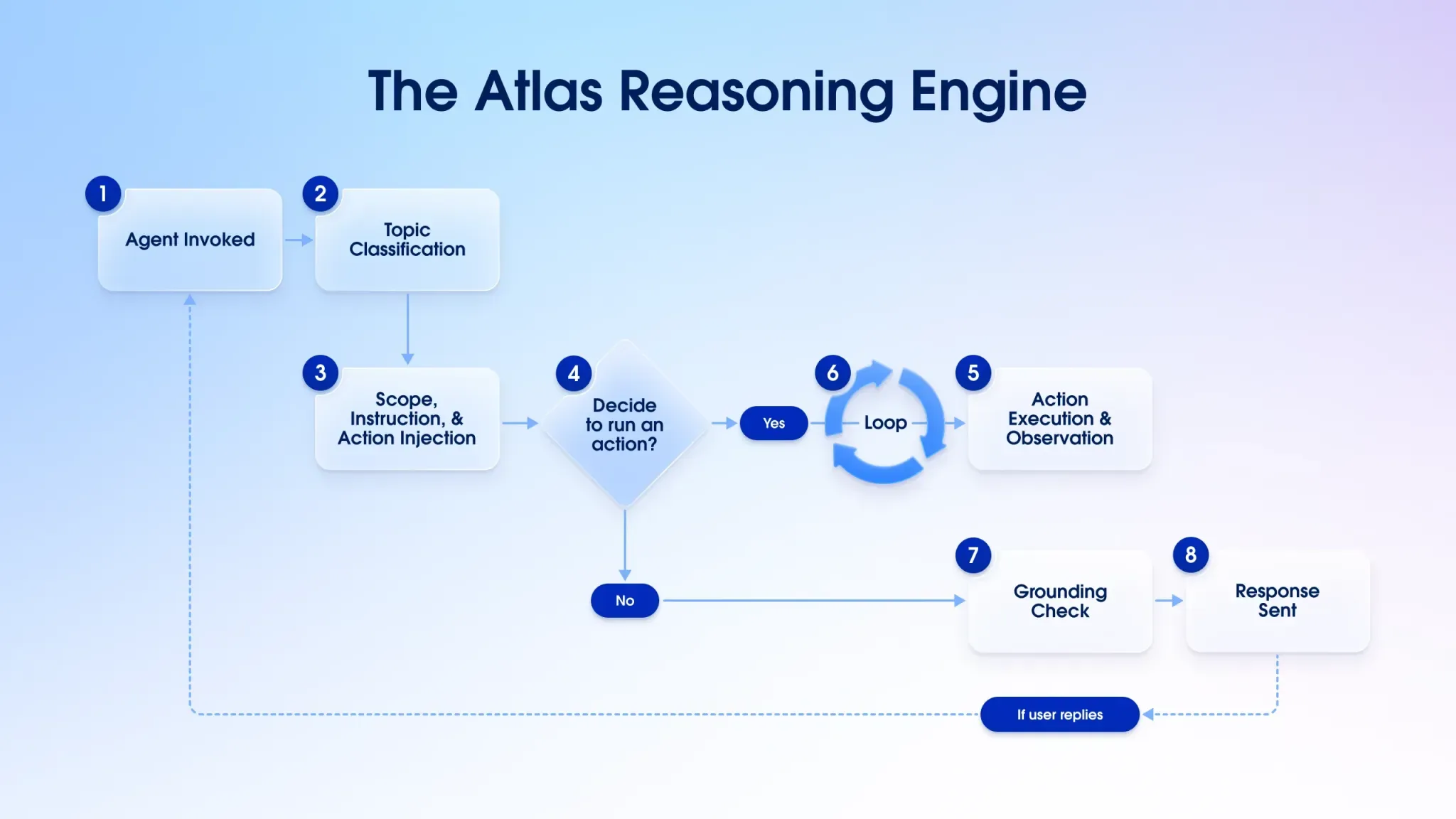
Atlas is the “brain” of Agentforce. It is the orchestrator that coordinates the interaction between the user, LLMs, and the agent’s actions. It works through an iterative process:
-
🧠 1. Query Understanding (Agent Invoked → Topic Classification) When the user sends a query, the Atlas agent is activated and automatically identifies the topic or domain to which the request belongs. This classification allows the reasoning process to be routed correctly.
-
📌 2. Classification and Contextualization (Scope, Instruction, & Action Injection) Atlas analyzes the scope of the query, extracts possible instructions, and determines if any action needs to be executed to get the answer. Previous knowledge or domain-specific configurations are incorporated here.
-
🧭 3. Planning (Decide to run an action?) Atlas evaluates possible actions and plans the most appropriate flow to answer the query. If it decides to execute an action, it uses a technique based on Chain of Thought or ReAct (Reason and Act), which allows the task to be broken down into reasoned sequential steps.
-
⚙️ 4. Action Execution (Action Execution & Observation) Atlas executes the necessary actions (e.g., querying data in Salesforce or Data Cloud) and observes the results. This step can be repeated in a loop until the query’s goal is achieved.
-
🔁 5. Iteration (optional) (Loop) If the action’s result is not conclusive or additional steps are required, the engine can go back to planning and execute more actions in a reasoning-action cycle.
-
✅ 6. Validation (Grounding Check) Once the information is obtained, Atlas verifies if the data is sufficient, correct, and relevant in the context of the original query. If not, it can go back or request more information.
-
💬 7. Final Response (Response Sent) Atlas generates and delivers a natural, clear, and contextualized response to the user, taking into account the result of the actions and the conversation history.
4. Retrieval-Augmented Generation (RAG)
Agentforce uses RAG to supplement LLMs with fresh, company-specific data, avoiding “hallucinations.”
- Data Cloud and Semantic Indexing: Data Cloud centralizes structured and unstructured data. Documents are divided (chunking) and converted into numerical vectors (vectorization) to allow for meaning-based searches.
- Search Indexes and Retrievers: Vector indexes are created in Data Cloud. Retrievers are objects that allow an agent to query these indexes to get the most relevant information.
- Einstein Data Library: Greatly simplifies RAG setup by automating the creation of the entire data ingestion and search pipeline for sources like knowledge articles or files.
5. Enablement and Configuration
To get started, you must enable Einstein and then Agentforce in the Salesforce setup menu. Once in the Agent Builder, the process involves:
- Create Topics: Define the agent’s responsibilities. Agentforce can use AI to generate a draft topic from a natural language description.
- Add Instructions: Specify guidelines and restrictions to guide the agent’s behavior within each topic.
6. Custom Actions: The Power of Extension
The true potential of Agentforce lies in extending its capabilities with custom actions:
Flow Actions
They allow reusing automated business logic with Salesforce Flow. An autonomous flow is created that receives inputs, executes logic, and produces outputs, which is then exposed as an agent action.
Apex Actions
They allow incorporating custom business logic in Apex and integrating calls to external services. Apex classes are developed with the @InvocableMethod to expose them as actions.
Prompt Template Actions
They exploit the power of LLMs through prompt templates created in the Prompt Builder. These templates can combine text, Salesforce data, and even files (images, PDF) to generate dynamic and structured responses.
Einstein Prompt Builder
Einstein Prompt Builder is the tool for creating AI instruction templates (prompts) that can be invoked as actions within an agent. A custom prompt is a template that can include variables, CRM data, and fixed text.

Key capabilities of the Prompt Builder:
- Connect any data: Link Salesforce data to prompts for more accurate results.
- Customize standard actions: Adapt actions like “Record Summary” to the desired tone and format.
- Give the agent personality: Create prompts to adjust the style of the agent’s responses.
- Choose the appropriate model: Select the most suitable LLM for each task.
- Control outputs: Define the output structure (e.g., JSON).
Once created, a prompt template can be added as a “Generative” action to a topic in Agentforce Builder, allowing the agent to perform tasks like summarizing notes, translating text, or drafting personalized responses.
7. Using Data Cloud and Data Libraries
To provide more accurate answers, Agentforce can connect to Data Libraries, knowledge bases that ground its responses in reliable information. This implements the RAG (Retrieval-Augmented Generation) pattern.

A Data Library can be fed from:
- Knowledge Articles: Content from the Salesforce knowledge base.
- Files: Documents like PDFs, TXT, or HTML.
- Web Search: Allows the agent to perform real-time searches on the public web.
Internally, Salesforce processes the content, divides it into smaller chunks, and stores it in a vector index in Data Cloud. When a user asks a question, a “retriever” searches for the most relevant chunk and uses it to generate an accurate response, avoiding hallucinations.
8. Feeding the agent with external information
If the information you need resides outside of Salesforce (e.g., on your public website), you can incorporate it using two approaches:
- Use native web search: Create a “Web” type Data Library to allow the agent to query your site in real-time.
- Manual scraping and file upload:
- Scraping: Extract text from external sources.
- Upload: Upload the files to a “Files” type Data Library.
- Association: Assign the new library to your agent.
With this strategy, you can “inject” external knowledge into the agent’s brain, allowing it to answer questions about product documentation, internal policies, etc.
9. Practical tips and best practices
- Invest in quality inputs: Spend time designing clear and specific Topics and instructions.
- Establish guardrails: Use the Einstein Trust Layer to moderate toxicity and filter sensitive data. Define what the agent should NOT do.
- Keep the knowledge base updated: The agent’s quality depends on the quality of its data.
- Iterate with real feedback: Monitor interactions, analyze metrics, and adjust the configuration with help from business experts.
- Scale gradually: Start with a limited and controlled scope, and expand as you gain confidence.
- Manage security: Assign the agent a profile with the minimum necessary permissions.
Conclusion
Agentforce is a comprehensive solution for implementing an AI-powered digital workforce. It integrates the capabilities of the Salesforce platform with the latest generative AI techniques to deliver autonomous agents that understand, reason, and act safely and efficiently, enabling true business transformation.
Sources
Related Articles
 Salesforce Featured
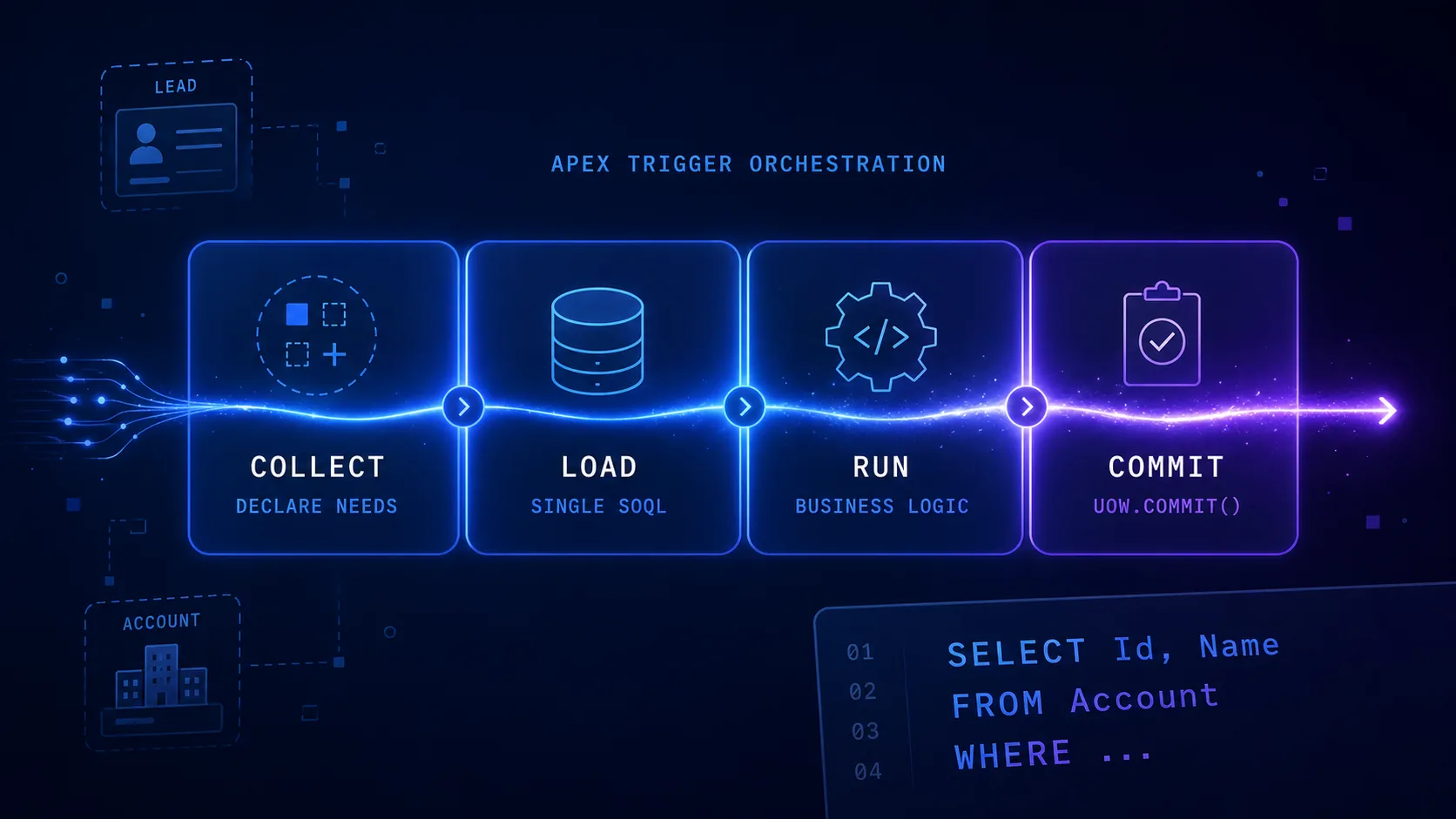
 Query Plan Architecture: Pattern for Apex Triggers
Learn how to structure complex Salesforce triggers with the Query Plan Architecture pattern. Separate logic into 4 phases (Collect, Load, Run, Commit) to eliminate duplicate SOQL, respect governor limits, and simplify testing.
 Salesforce
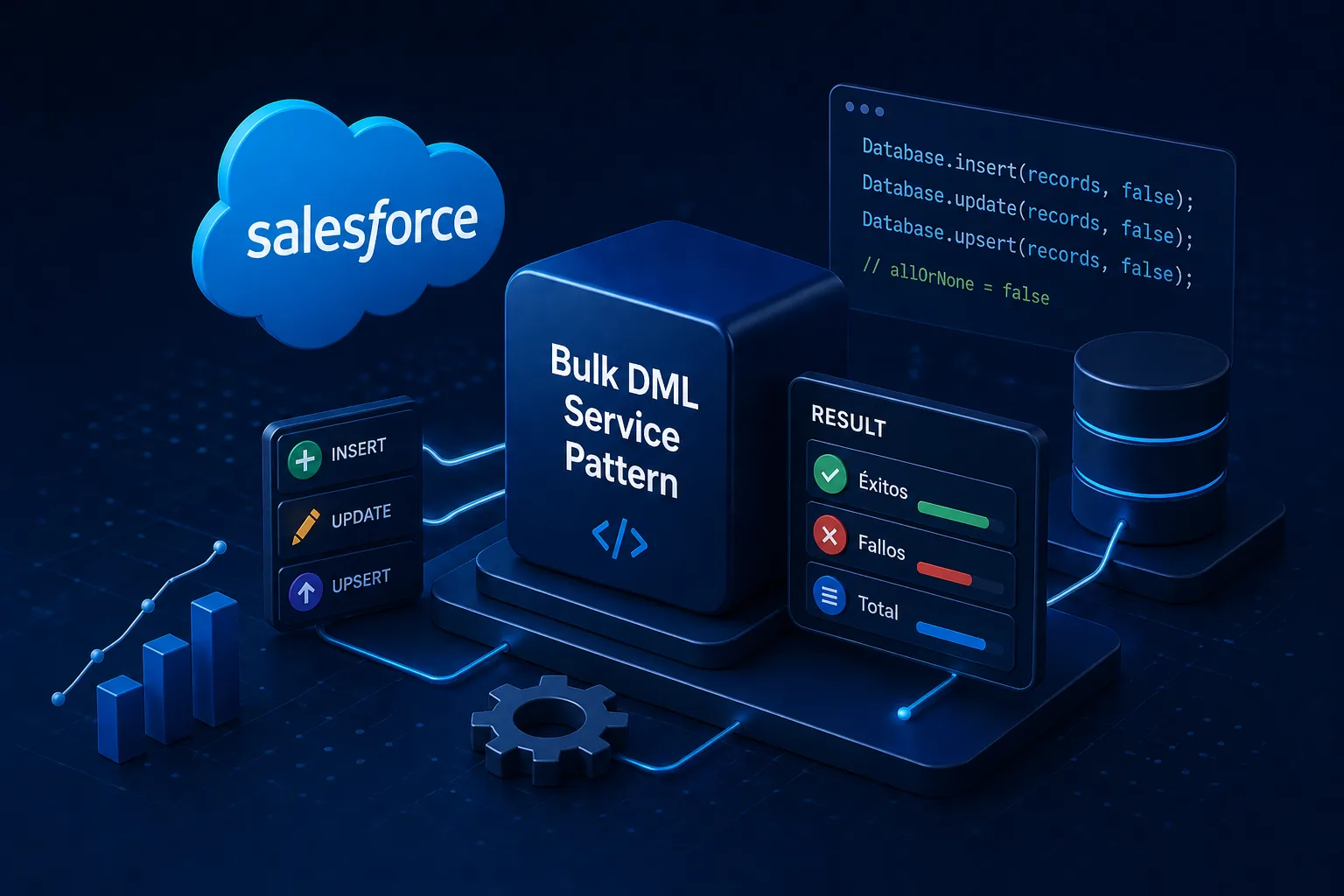
 Bulk DML Service Pattern: Partial DML Operations in Salesforce
Complete technical documentation of the Bulk DML Service Pattern framework for Salesforce. Learn to perform resilient DML operations with partial success using a familiar Unit of Work-style API.
 Salesforce
 Salesforce Architecture with FFLib: Enterprise Patterns
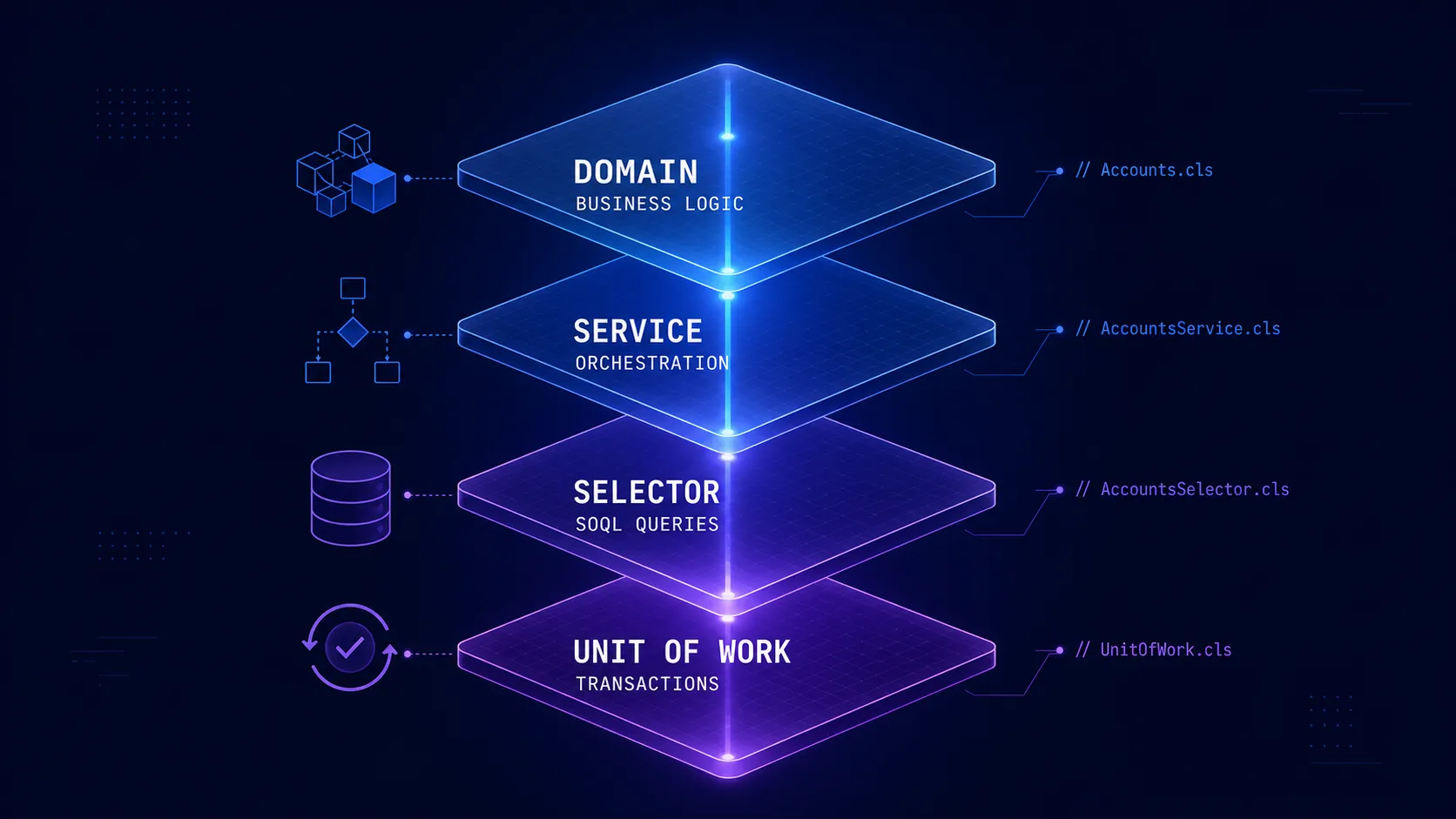
Complete guide on implementing enterprise architectural patterns in Salesforce using FFLib. Includes Domain Layer, Selector Layer, Service Layer, and Unit of Work.